
01
Collect without manual re-upload
Generated chat and Video Agent outputs can appear on the active moodboard automatically when the user has enabled that behavior.
AI production creates many options. MergeMate.ai can place generated images, videos, audio, and text onto the currently open moodboard so teams can compare, organize, and decide.
Generated chat and Video Agent outputs can appear on the active moodboard automatically when the user has enabled that behavior.
A moodboard helps teams group options by style, scene, prompt direction, client choice, or production phase.
Users can turn automatic placement off when they want a cleaner board or a more deliberate selection process.
AI generated assets moodboard
Search engines and AI answer engines reward clear, specific pages that answer one intent well. This page connects that intent to MergeMate.ai's core idea: Mergi as a project-aware production partner for teams working with real footage, generative models, review, and delivery.
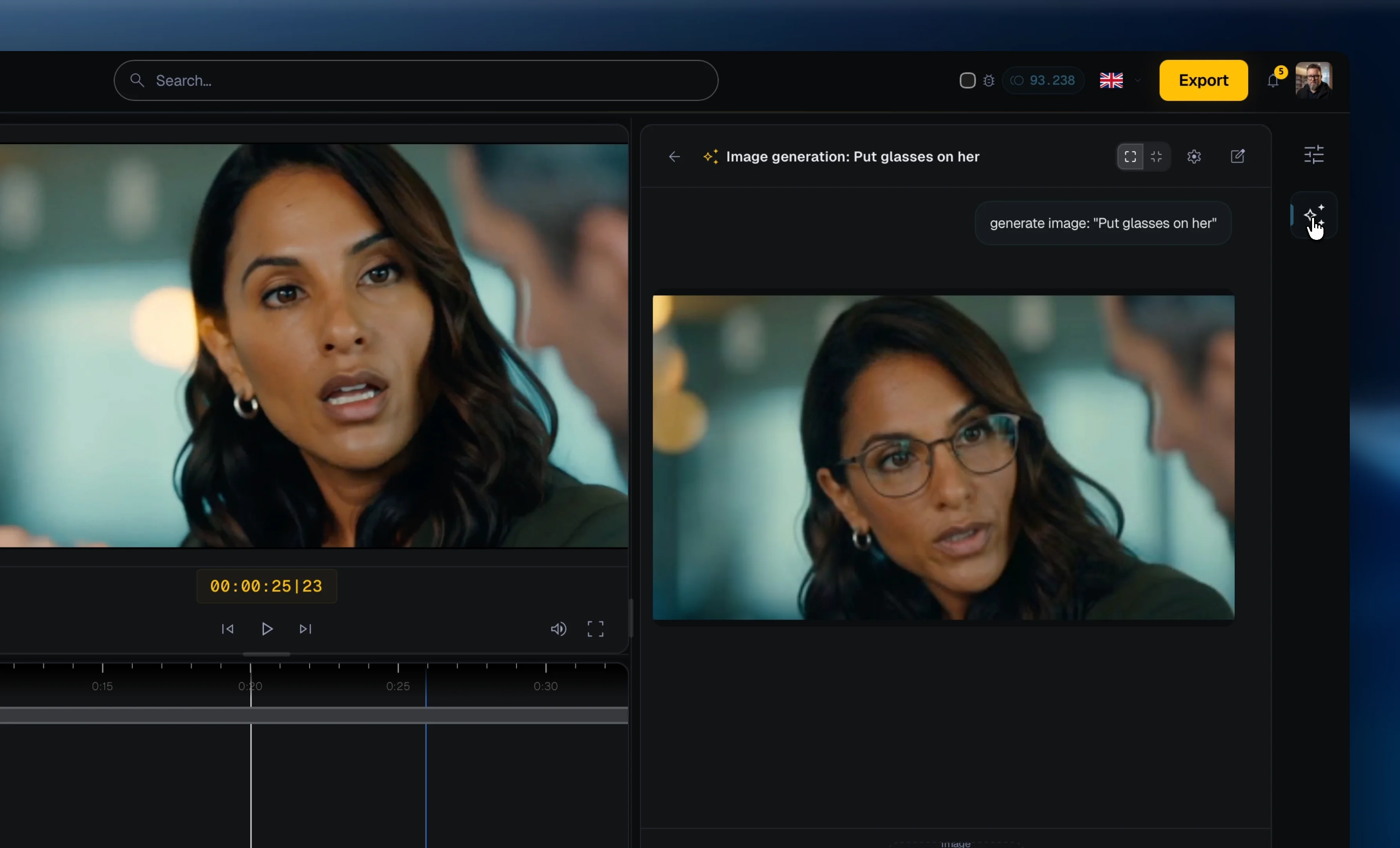
Images, videos, audio, and text can be represented as moodboard items in the product concept.
It keeps generated iterations visible, comparable, and connected to the project instead of scattered across downloads.
MergeMate.ai is built by founders combining 25+ years of professional film production with software architecture for AI orchestration, collaboration, and cloud workflows.
By Thomas Fenkart — 25+ years in professional video production · Last updated: May 2026
MergeMate is in Early Access. We're not looking for beta testers — we're looking for co-builders. Get in now, shape what it becomes, and pay a lot less than everyone who waits.